

Deploy+: full Bash scripts and variables for each deployment
Until now, the Deploy+ script was a list of commands: one line to install dependencies, another to build the site's assets, another to prepare the cache. That works well as long as each step is independent. But if you needed to check how the deployment started, load a tool only once or keep a variable between commands, you ended up cramming all the logic into one line or into a separate file in the repository.
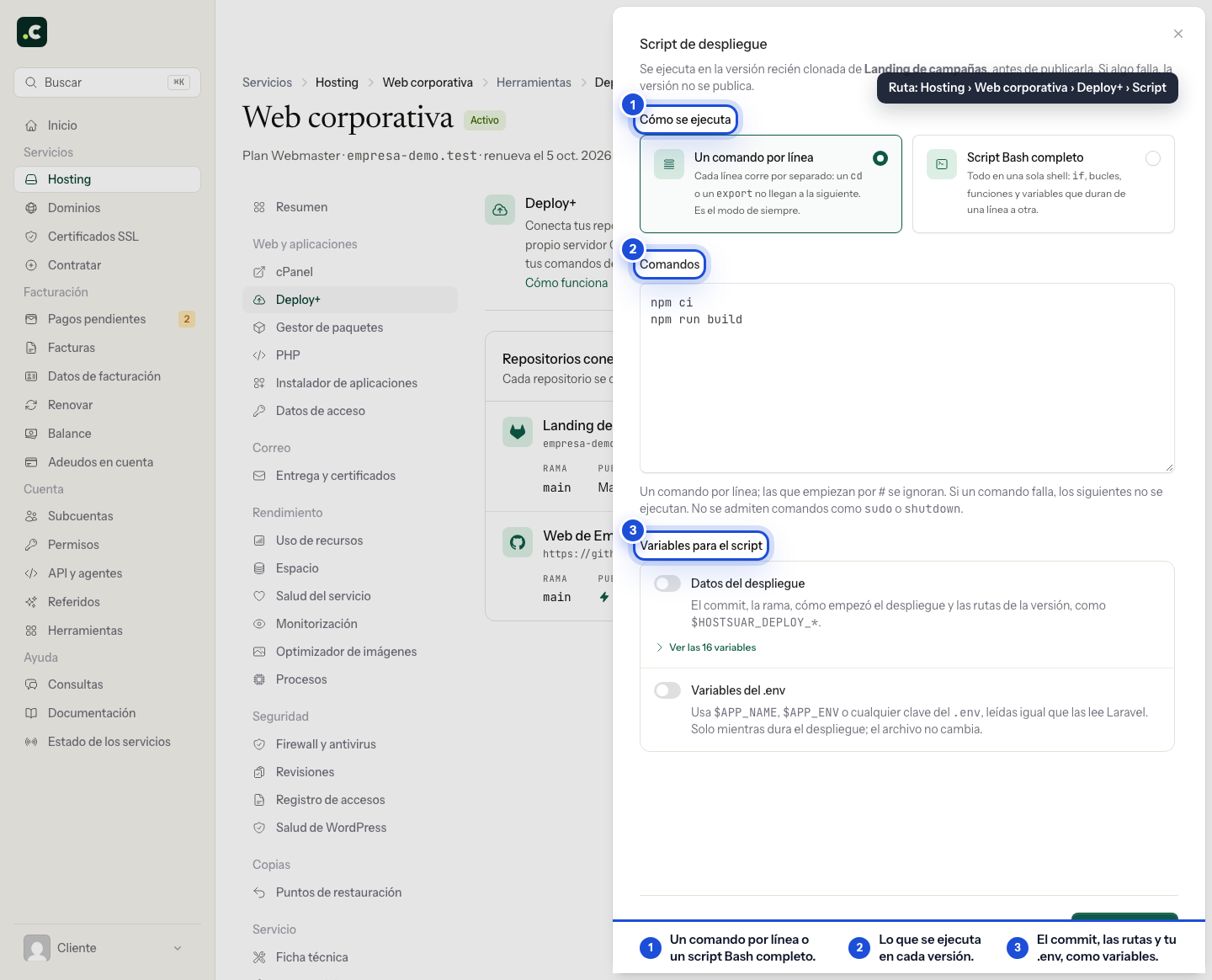
Now the editor lets you choose how the script runs and what information it receives. The choice is made per repository.
A real script, from start to finish
The new Full Bash script mode runs the whole text in a single shell. You can use conditionals, loops and functions, change folder or load NVM once and keep using Node.js in the following lines. For example:
composer install --no-dev --no-interaction

if [[ "$HOSTSUAR_DEPLOY_TRIGGER" == "webhook" ]]; then
    php artisan migrate --force
fi

export NVM_DIR="$HOME/.nvm"
. "$NVM_DIR/nvm.sh"
npm ci --include=dev
npm run build
The script runs in the freshly cloned version, before it is published. If a command that Bash treats as an error fails, the deployment stops and the previous version stays published. As in any script with set -e, a failure inside a pipeline does not stop execution if the last command succeeds; you can add set -o pipefail at the top if your project needs it. Interactive commands do not get keyboard input either: use options such as --no-interaction.
The One command per line mode is still available. Each line starts in the new version's folder and runs separately, as always. Repositories you had already connected keep that mode and their settings, with no changes to their deployments until you choose otherwise.
The script knows what it is deploying
The Deployment data switch adds variables such as $HOSTSUAR_DEPLOY_TRIGGER, $HOSTSUAR_DEPLOY_BRANCH, $HOSTSUAR_DEPLOY_COMMIT and $HOSTSUAR_DEPLOY_RELEASE_PATH. That way you can decide, for example, whether a task should run on a deployment triggered by a push, or use the hash of the commit that was actually cloned. There are also paths for the previous version, the shared files and the published folder.
These variables do not include the repository token or the webhook secret. They are enabled on new repositories; on existing ones you can enable them from the editor when you need them. They work in both script modes. When a rollback has to rebuild a version that is no longer on the server, the script receives HOSTSUAR_DEPLOY_TRIGGER=rollback.
The .env, only if you need it during the build
The second switch, .env variables, passes the keys from the shared .env to the script as environment variables. The processes it starts, such as Composer, npm or Artisan, inherit them too. This is useful if a build or a standalone command needs to read $APP_NAME or a credential and does not load the file itself. Deploy+ reads the .env using Laravel's rules; it does not run it as a Bash script or modify the file.
The option is off by default. The script output is saved in the history, so avoid printing passwords or enabling set -x. Deploy+ hides values it recognises as secrets, but that protection is no substitute for being careful about what the script prints. In Laravel projects with files such as .env.production, also check which values will take precedence: variables the script has already received are not replaced when that other file is loaded.
You will find both modes and the switches in Hosting → your service → Deploy+ → Deployment script. The Deploy+ guide includes the full list of variables, examples and the details of each mode.