

The client area, rebuilt from scratch
We've been working on it for months and can finally tell you about it: the client area has been rebuilt from scratch. There's a new look, obviously, but what has really changed is something else: the panel no longer just shows you data; it now tells you what's wrong and what you can do about it.
Figures before, a verdict now
A CPU percentage has never been an answer, and neither is "you've reached the limit". The question anyone asks when something goes wrong is simply why, and until now that answer was spread across the panel, cPanel and us, which meant opening a ticket for something that should be visible on its own.
That's why every service now has a health page that brings together, in a single read, the four things that usually go wrong (performance, security, email and certificates) and gives a verdict right at the top. When everything is in order there's no notice at all and the content takes the space, because a panel full of green notices ends up with nobody looking at the ones that matter.
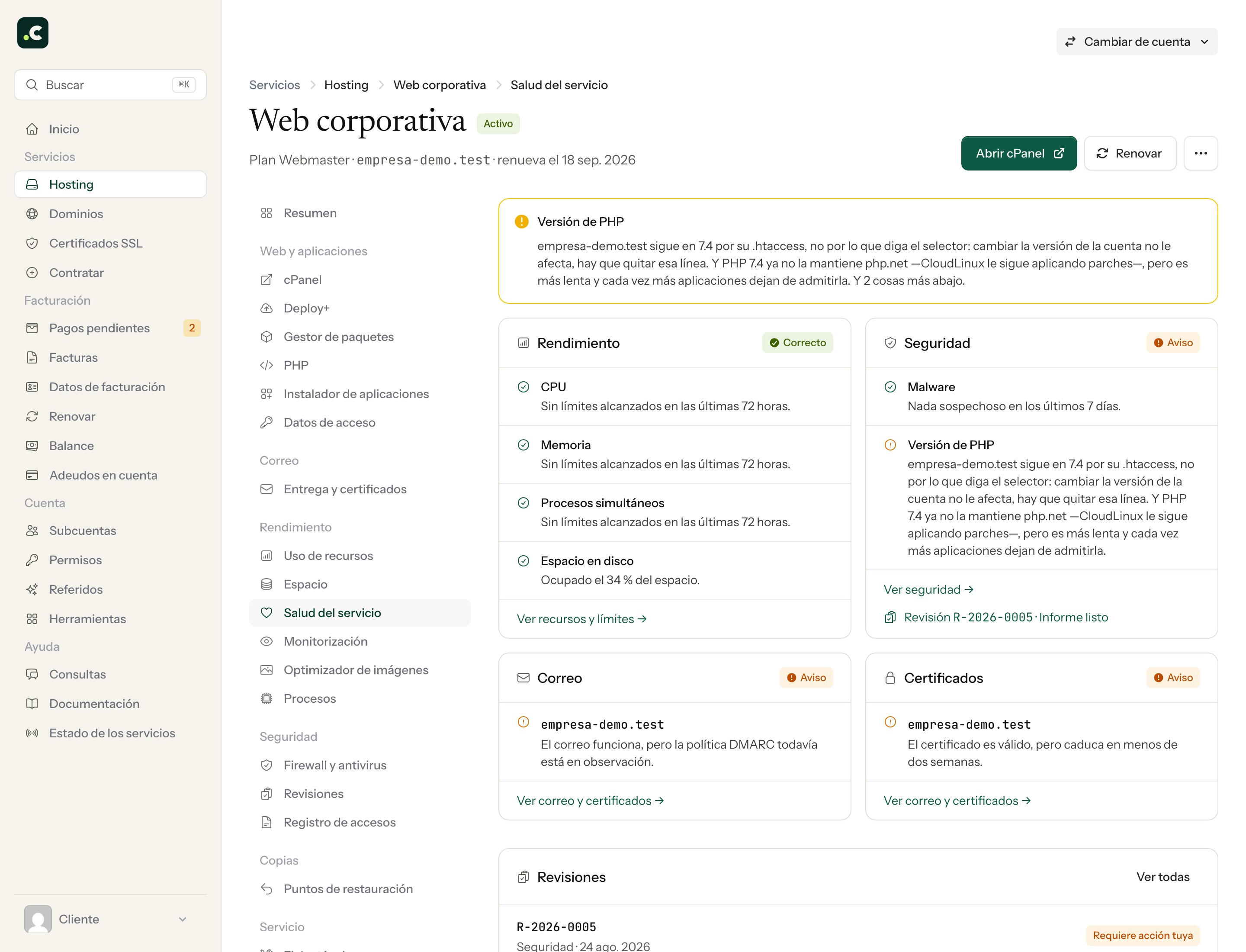
We've also set ourselves a rule you'll notice when you use it: when something hasn't been checked, we say so. We'd rather leave a gap than paint something green because we lack the data, because a false green is worse than saying nothing.
The first thing you see is what needs attention
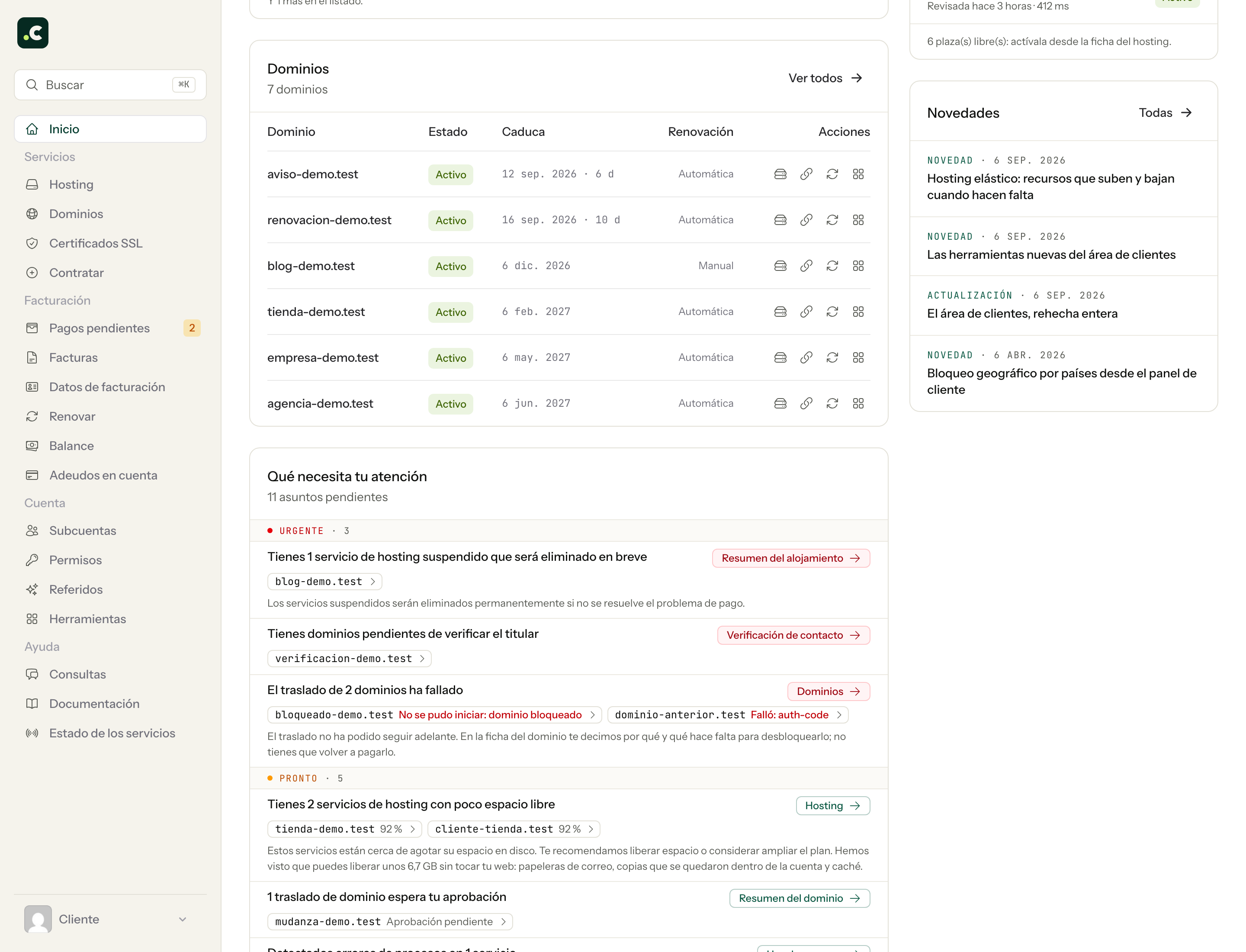
The home page is no longer a summary of figures: it's now the list of things worth looking at, ordered by urgency and with the exact place where each one is solved.
Email, domain by domain and with the fix written out
Email generates more tickets than anything else and was also the hardest to diagnose from outside, so it was one of the first things we wanted to solve. Each domain now has its own email health with six checks (MX, SPF, DKIM, DMARC, PTR and TLS), each with its traffic light and exactly what you need to set to fix it.
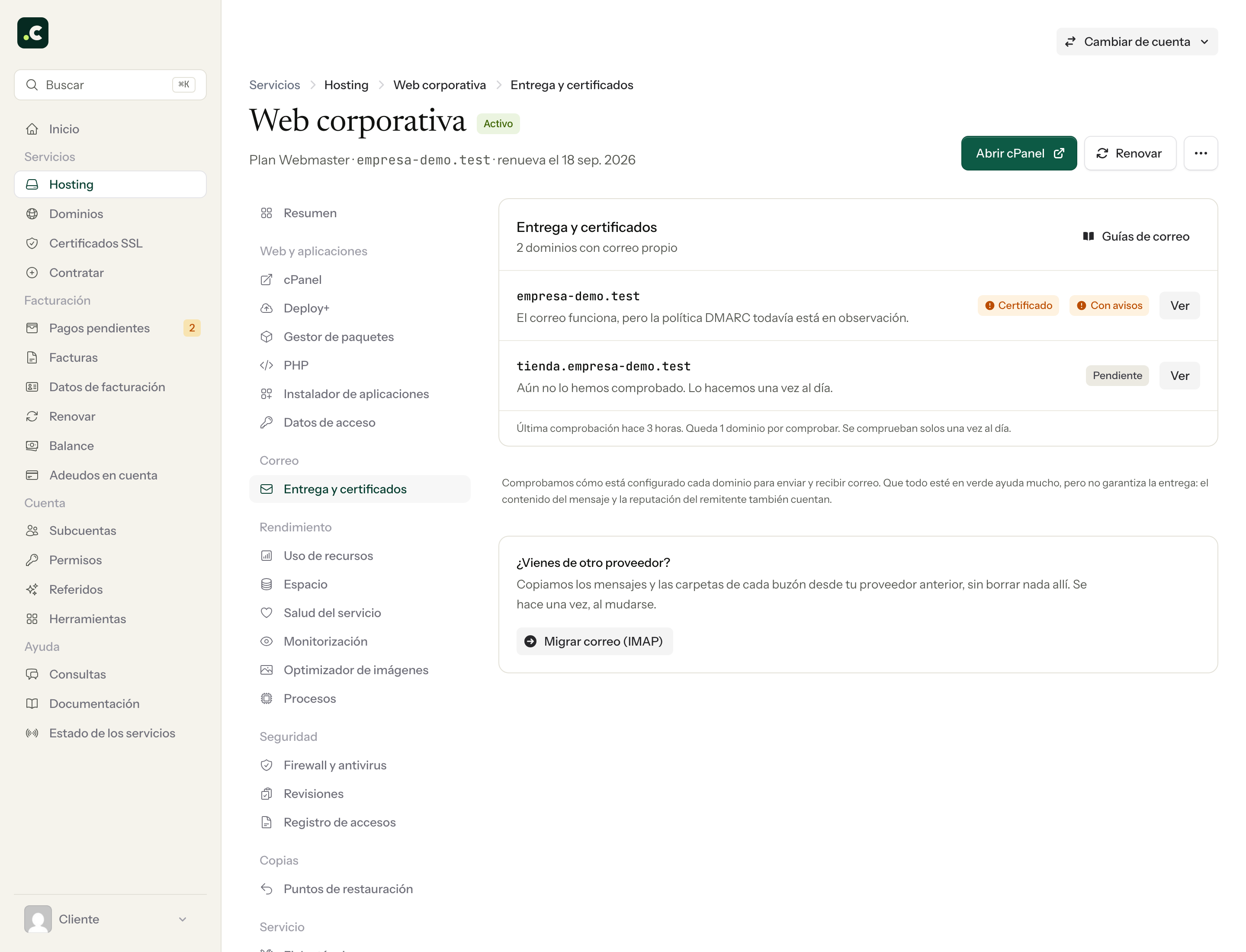
On the same page we've added the certificate diagnosis, which shows which DNS records are published, what the CAA records say, which certificate is actually being served and when it renews. It also detects whether you have a proxy in front, one of the usual reasons something looks broken when it isn't.
And if a mailbox is running out of space, you no longer find out the day emails stop arriving, because it shows up beforehand in "What needs your attention".
Resource usage, with its cause
Until now resource notices told you that you had reached the limit, information that leads nowhere. Now they tell you what reached it: each incident comes with a snapshot of the processes running at that moment and separates what you can fix yourself from what can only be solved by upgrading the plan.
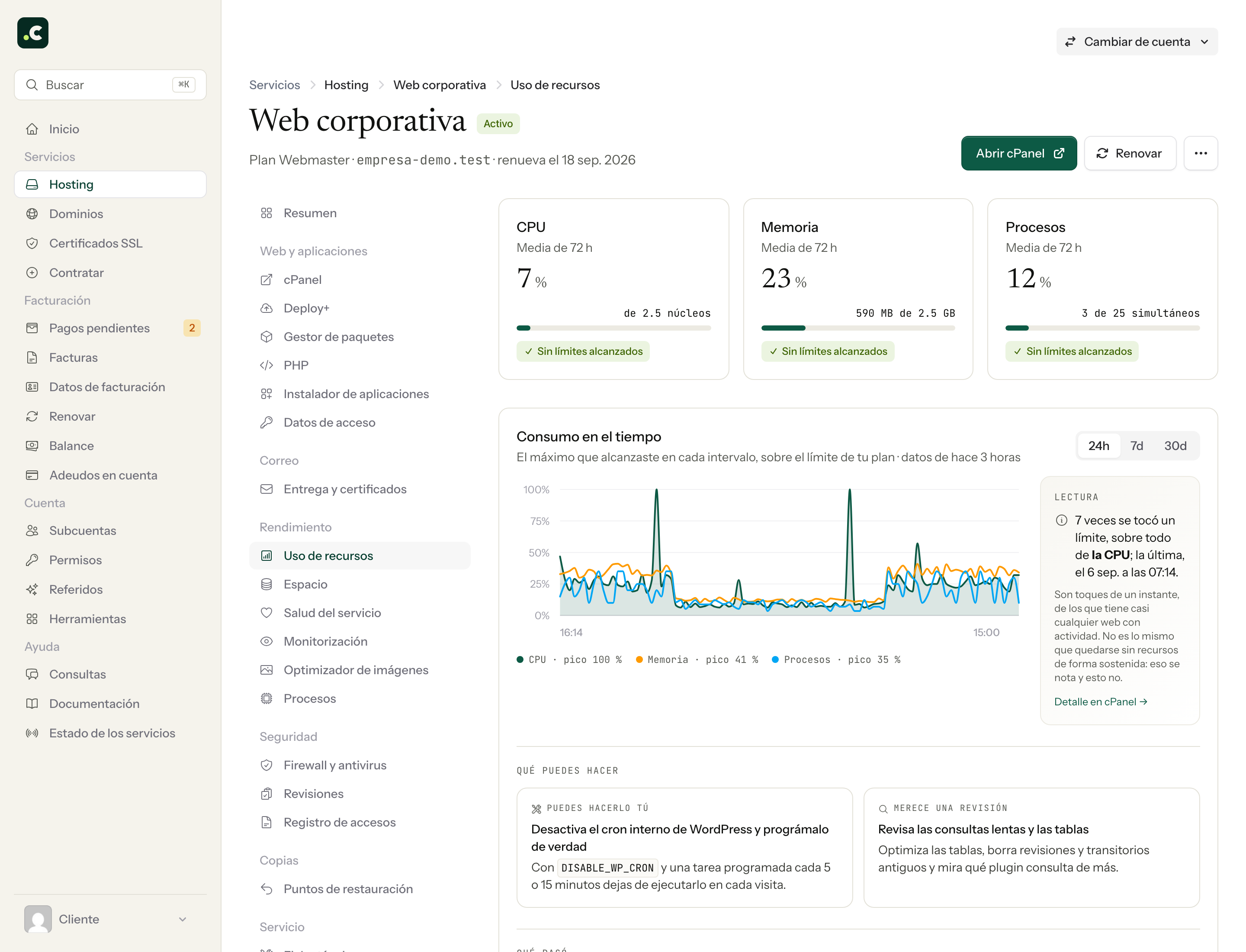
You can also choose the threshold at which we notify you (80 %, 95 % or none), and we've added a 24-hour brake per resource so that a bad day doesn't turn into twenty emails from us.
Accounts on a Multicuenta plan, on equal footing
If you resell hosting, this one is for you: your clients' accounts no longer have fewer tools than a regular hosting service. They have their own summary with health and usage, their own website monitoring and their own DNS assistant, exactly like any other service.
And everything can be found
There are around sixty tools in the panel, and their existence is no use at all if nobody can find them. That's why the search understands what is happening to you and not just the technical name of the tool: you can type "my emails go to spam" and it takes you straight to the right place.
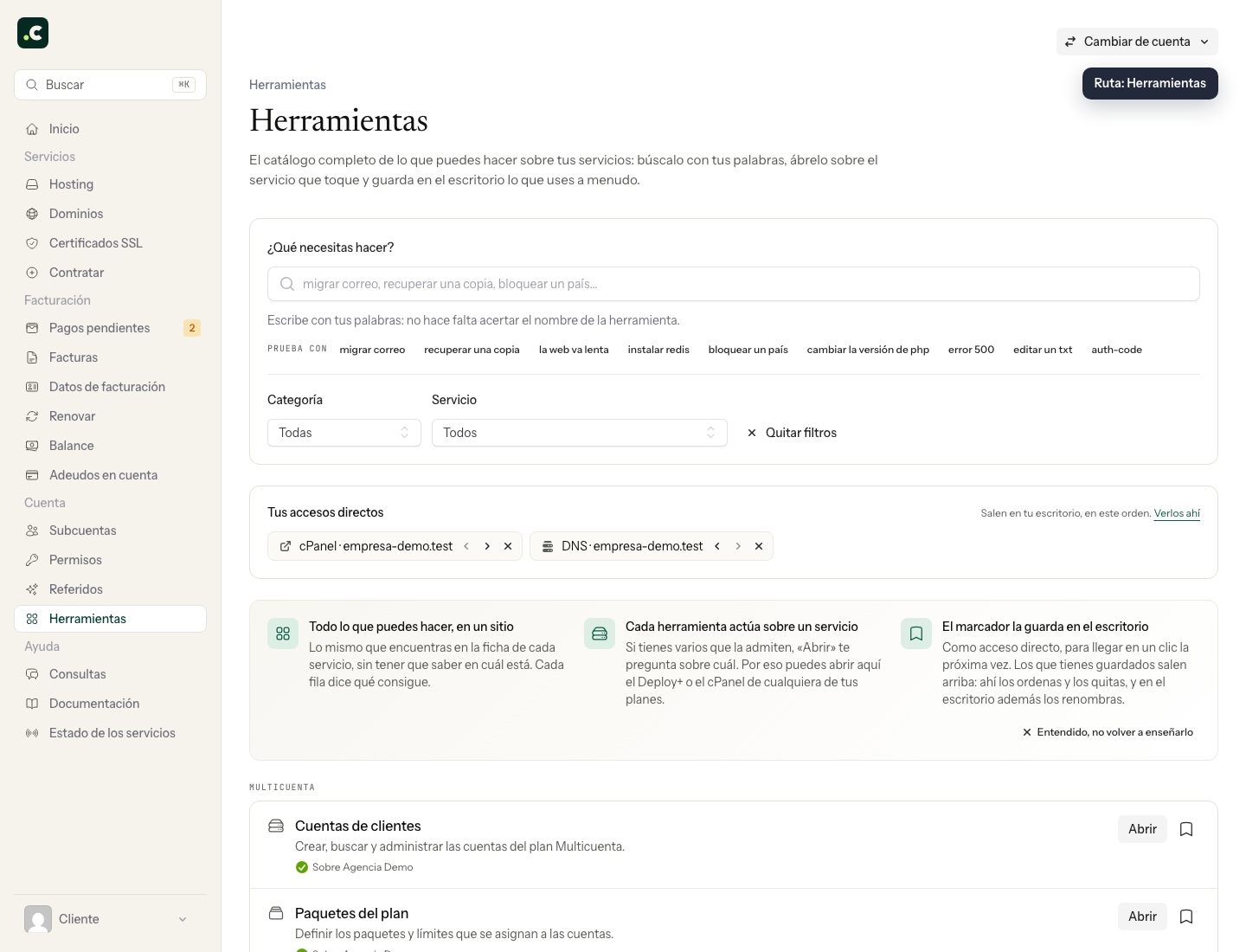
Something similar happens when you open a ticket: even before you have to wait for our reply, the panel points you to the tool that solves it and the documentation that explains it.
What doesn't change
Logins, cPanel, passwords and the way you contact us stay exactly as before. There's absolutely nothing to reconfigure on your side.
In the next post we go through the new tools one by one, and there are quite a few.